> ## Documentation Index
> Fetch the complete documentation index at: https://developer.hellgate.io/llms.txt
> Use this file to discover all available pages before exploring further.

# Processing

> Configure integrations, payment flows, and the flow matrix in the Commerce Dashboard.

## Integrations

<a href="https://app.hellgate.io/settings/integrations" target="_blank" rel="noopener noreferrer">Integrations settings</a>

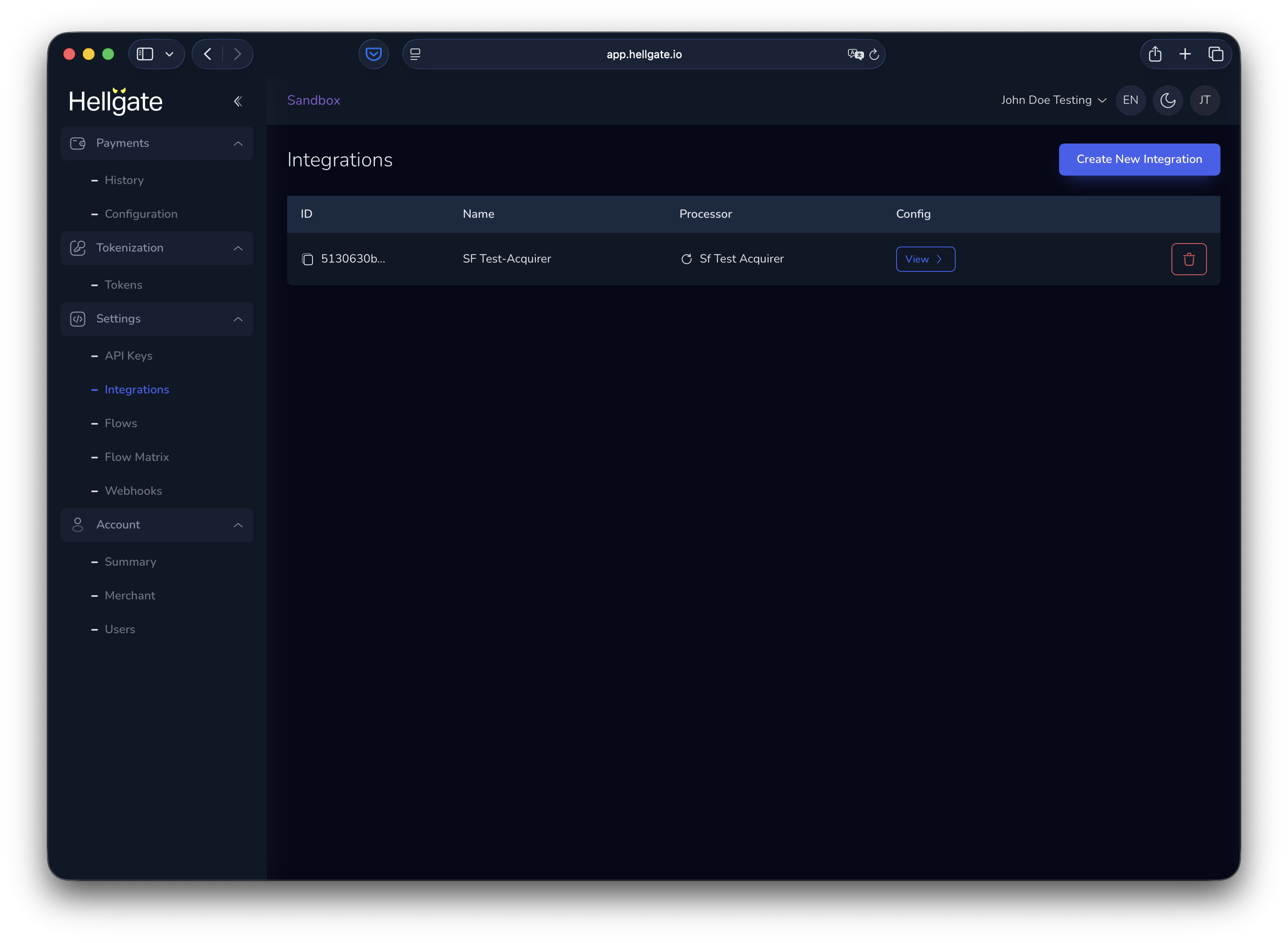
Integrations connect your account to payment processors (PSPs). By default, the **SF Test-Acquirer** is configured for new Sandbox accounts for deterministic testing. You can add as many integrations as you need.

### List of integrations
<Frame>
  <img src="https://mintcdn.com/starfishgmbhcokg/dfhj2Hm84A9ik5S0/images/commerce/v2/guides/configuration/list-of-integrations.png?fit=max&auto=format&n=dfhj2Hm84A9ik5S0&q=85&s=96f4f6501ab0b87fd2a0b0d3368597f7" alt="Integrations list in Commerce Dashboard" width="3050" height="2234" data-path="images/commerce/v2/guides/configuration/list-of-integrations.png" />
</Frame>

### Create a new integration

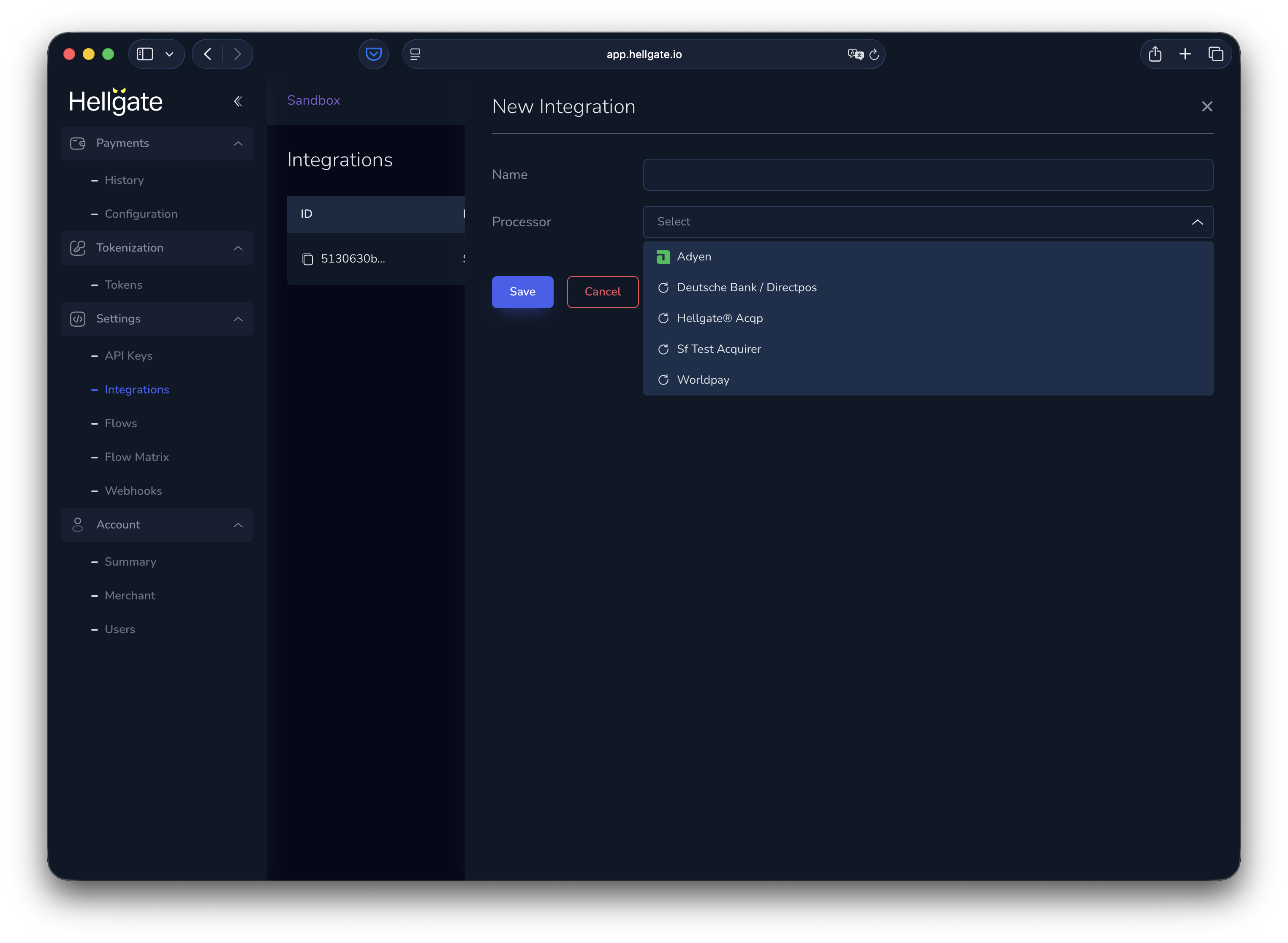
Click **Add integration** (or the equivalent button) to add a processor.
<Frame>
  <img src="https://mintcdn.com/starfishgmbhcokg/dfhj2Hm84A9ik5S0/images/commerce/v2/guides/configuration/new-integration.png?fit=max&auto=format&n=dfhj2Hm84A9ik5S0&q=85&s=52f15b63c4a94b968afafd494f8d95ad" alt="Add new integration – processor selection" width="3050" height="2234" data-path="images/commerce/v2/guides/configuration/new-integration.png" />
</Frame>

The list of available processors depends on the Hellgate backend your account uses.

### Edit an integration

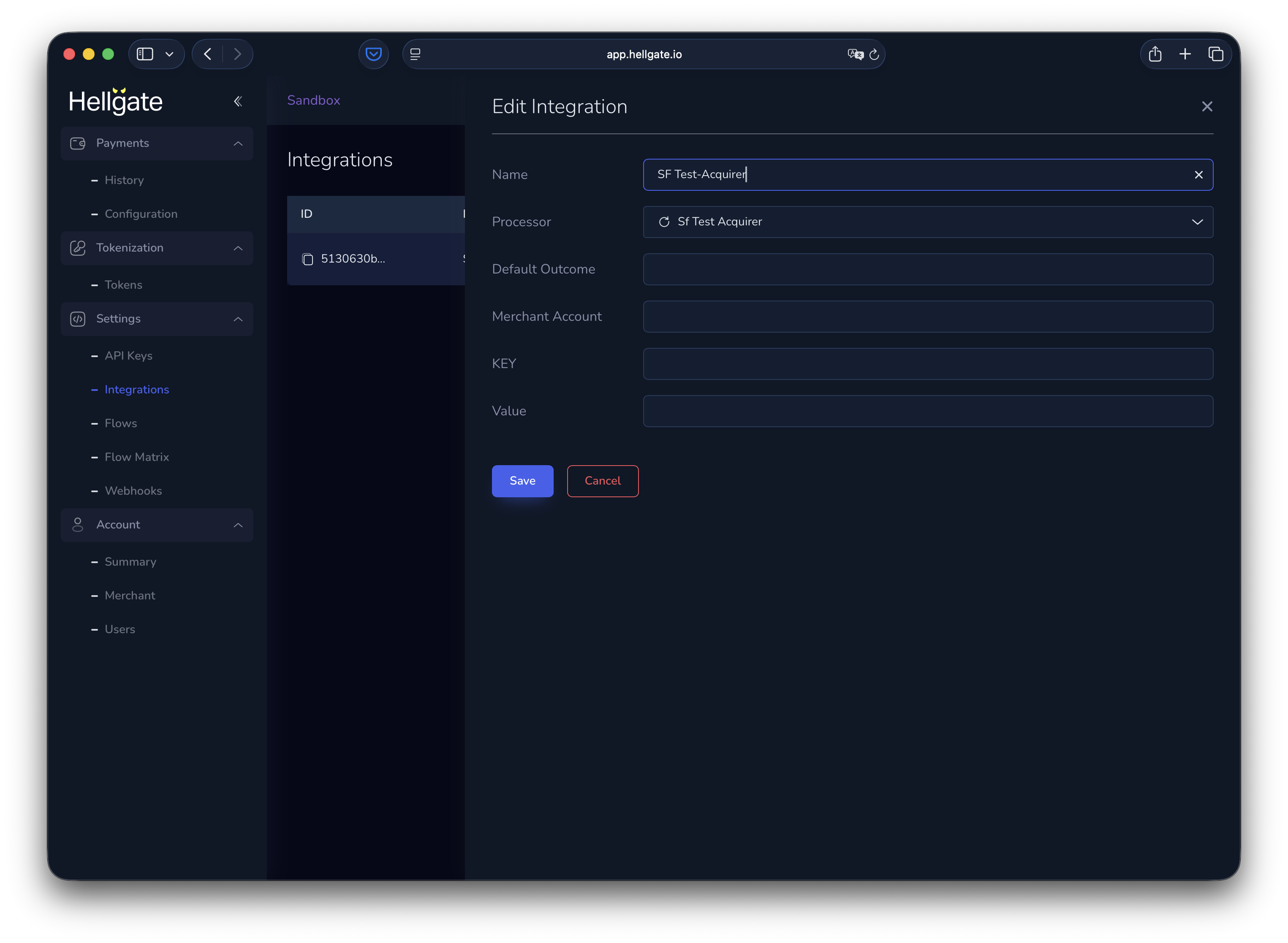
Click an integration in the list to edit it.
<Frame>
  <img src="https://mintcdn.com/starfishgmbhcokg/dfhj2Hm84A9ik5S0/images/commerce/v2/guides/configuration/edit-integration.png?fit=max&auto=format&n=dfhj2Hm84A9ik5S0&q=85&s=d3f589513610e7f6c6367828d8410084" alt="Edit integration form" width="3050" height="2234" data-path="images/commerce/v2/guides/configuration/edit-integration.png" />
</Frame>

The form below **Name** and **Processor** depends on the processor. For SF Test Acquirer you can set deterministic test behaviour; for external PSPs you typically configure base URL and credentials.

## Flows

Hellgate Commerce supports **canonical flows** (standard payment patterns) and **custom flows** (e.g. for preprocessing). The diagram below shows how flows fit into payment handling.

<Frame>
  <img src="https://mintcdn.com/starfishgmbhcokg/dfhj2Hm84A9ik5S0/images/commerce/v2/guides/configuration/flow-processing.svg?fit=max&auto=format&n=dfhj2Hm84A9ik5S0&q=85&s=591491afdab1e47ed3c67f944ef112db" alt="Payment flow: preprocessing and processing stages" width="1994" height="241" data-path="images/commerce/v2/guides/configuration/flow-processing.svg" />
</Frame>

<a href="https://app.hellgate.io/settings/flows" target="_blank" rel="noopener noreferrer">Flows settings</a>

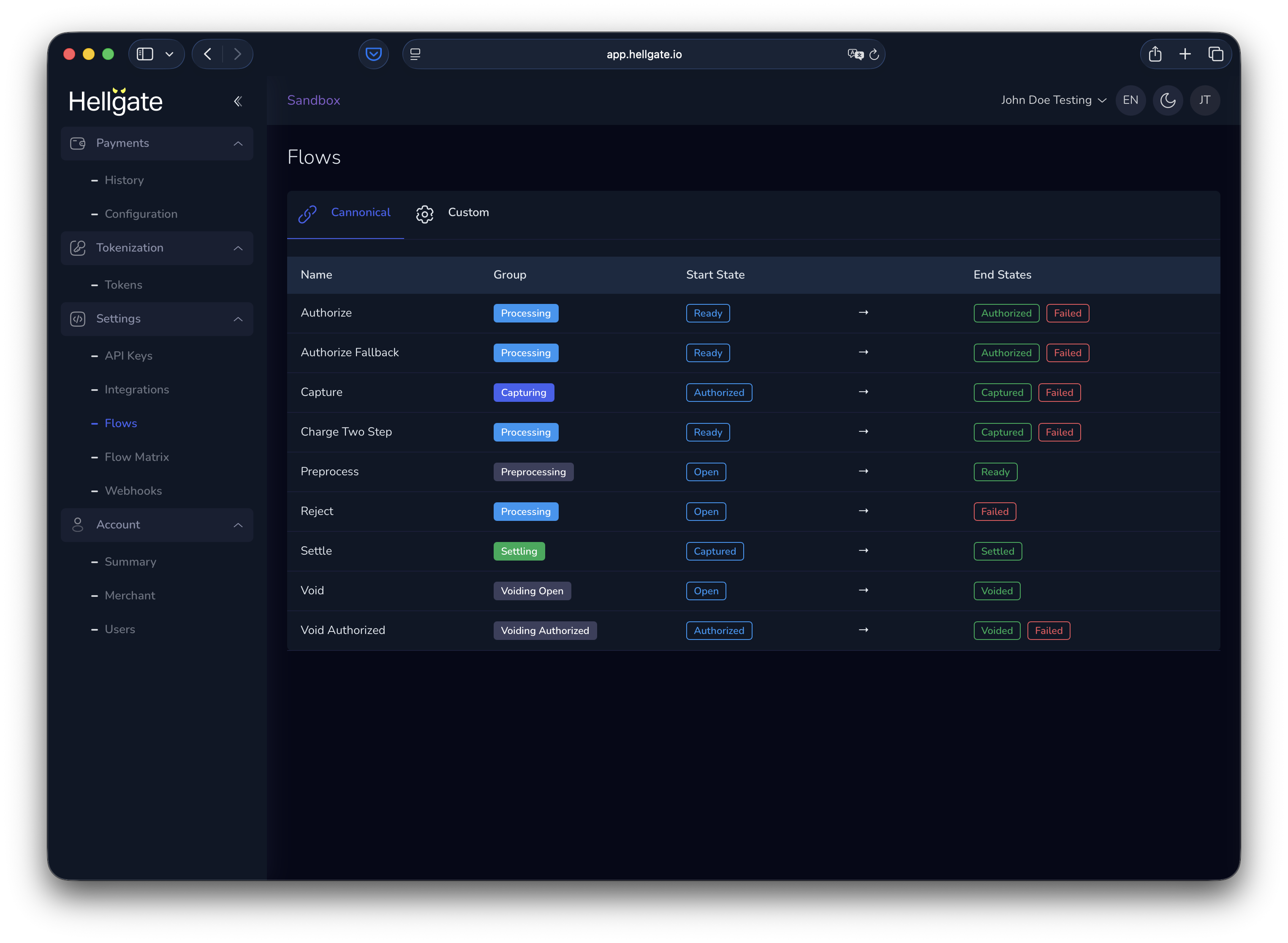
### Canonical flows

<a href="https://app.hellgate.io/settings/flows?tab=canonical" target="_blank" rel="noopener noreferrer">Canonical flows tab</a>

<Frame>
  <img src="https://mintcdn.com/starfishgmbhcokg/dfhj2Hm84A9ik5S0/images/commerce/v2/guides/configuration/canonical-flow-list.png?fit=max&auto=format&n=dfhj2Hm84A9ik5S0&q=85&s=186761a050a98e123b079f115c55988d" alt="List of canonical payment flows" width="3050" height="2234" data-path="images/commerce/v2/guides/configuration/canonical-flow-list.png" />
</Frame>

Click a flow to see its steps and behaviour.

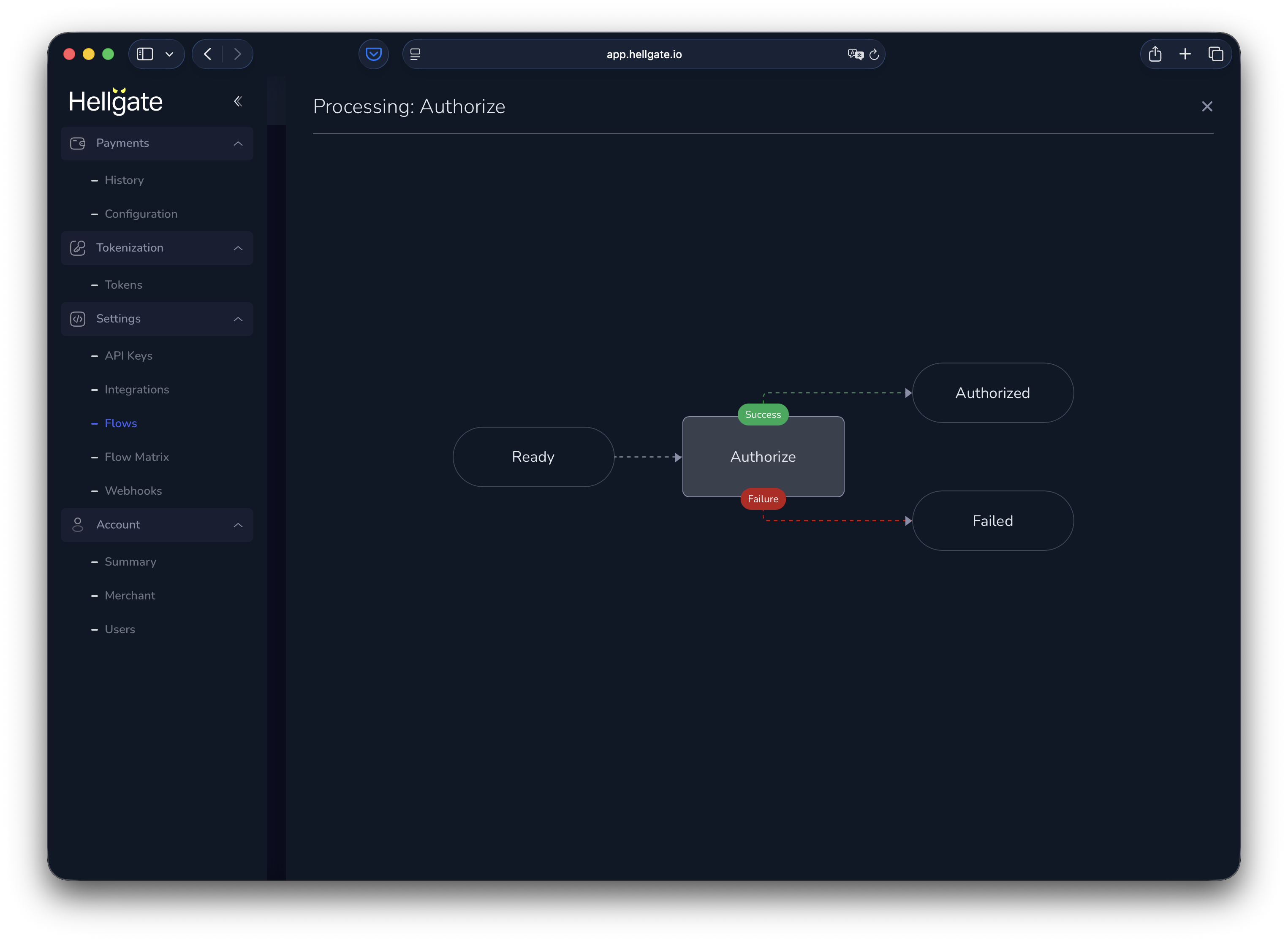
#### Authorize only

Authorize a payment without capturing.
<Frame>
  <img src="https://mintcdn.com/starfishgmbhcokg/dfhj2Hm84A9ik5S0/images/commerce/v2/guides/configuration/auth-only-flow.png?fit=max&auto=format&n=dfhj2Hm84A9ik5S0&q=85&s=e3af7c5bcc6a0e23f88bf2a14e550ff0" alt="Authorize-only flow diagram" width="3050" height="2234" data-path="images/commerce/v2/guides/configuration/auth-only-flow.png" />
</Frame>

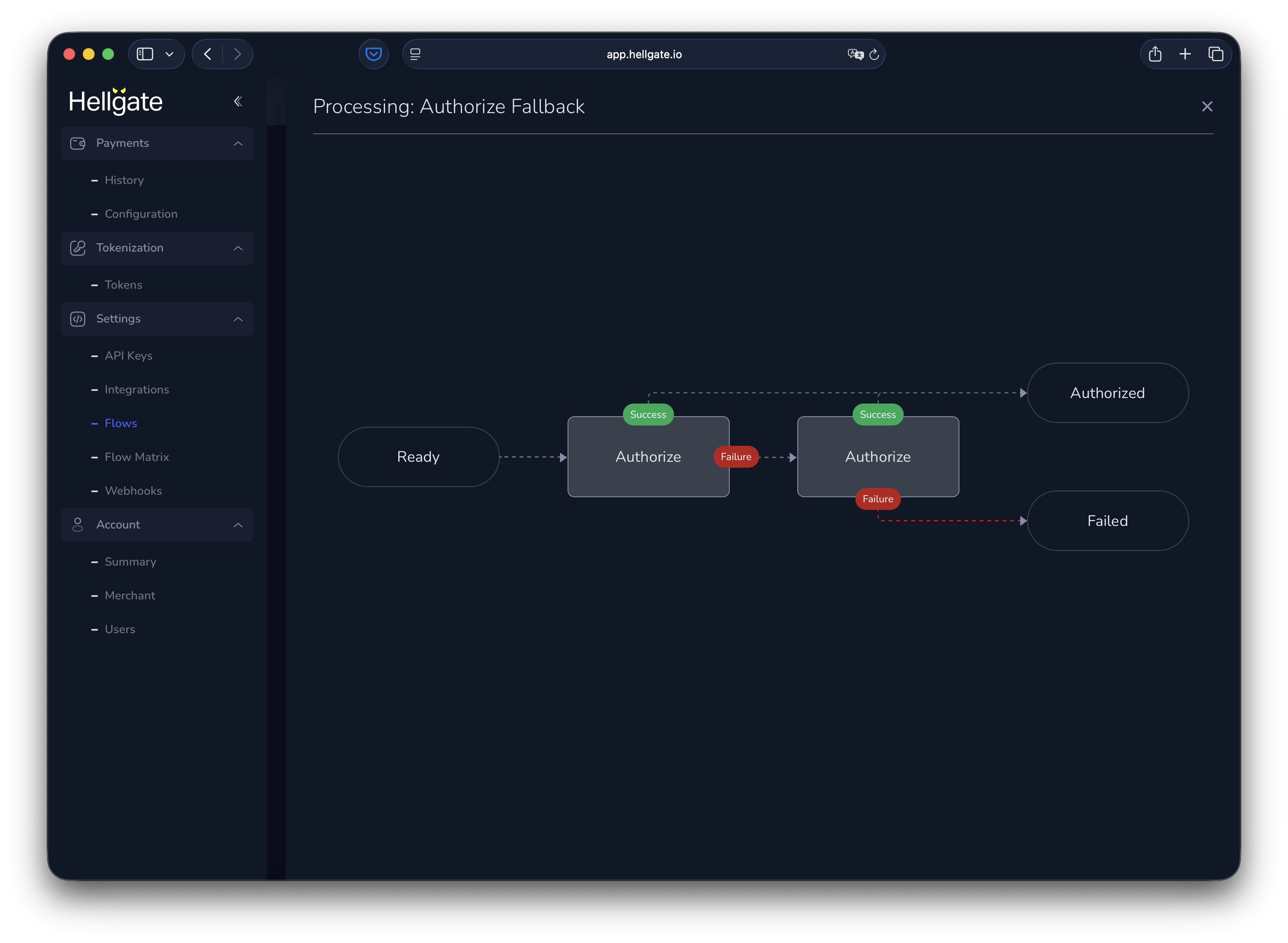
#### Authorize with fallback

Authorize with one PSP and fall back to another on failure.
<Frame>
  <img src="https://mintcdn.com/starfishgmbhcokg/dfhj2Hm84A9ik5S0/images/commerce/v2/guides/configuration/auth-fallback-flow.png?fit=max&auto=format&n=dfhj2Hm84A9ik5S0&q=85&s=623c13d3ceb2f3a1384ad21089acbd15" alt="Authorize with fallback flow diagram" width="3050" height="2234" data-path="images/commerce/v2/guides/configuration/auth-fallback-flow.png" />
</Frame>

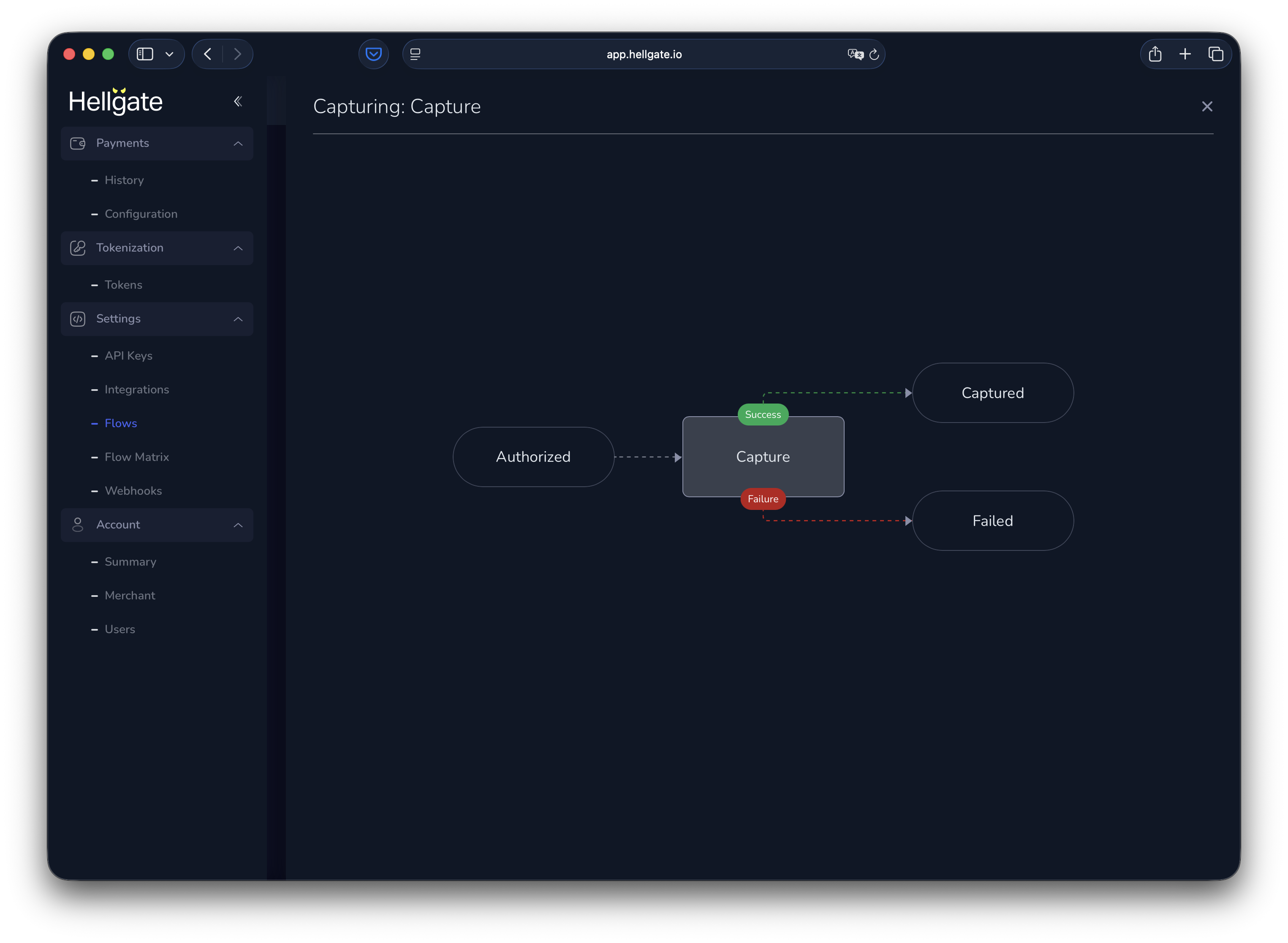
#### Capture

Capture a previously authorized payment.
<Frame>
  <img src="https://mintcdn.com/starfishgmbhcokg/dfhj2Hm84A9ik5S0/images/commerce/v2/guides/configuration/capture-flow.png?fit=max&auto=format&n=dfhj2Hm84A9ik5S0&q=85&s=897ad7d690942c5b435d598c8ec29499" alt="Capture flow diagram" width="3050" height="2234" data-path="images/commerce/v2/guides/configuration/capture-flow.png" />
</Frame>

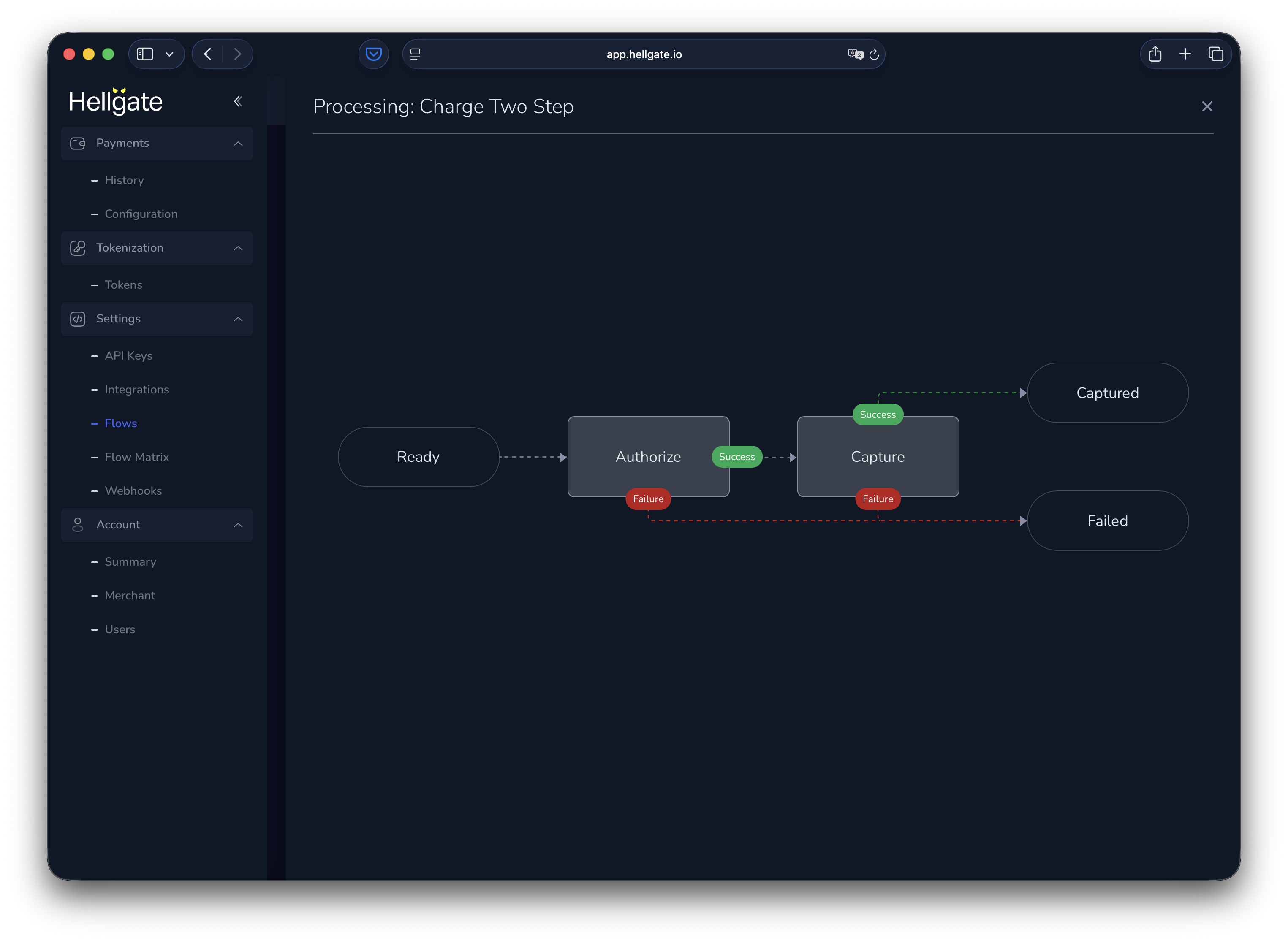
#### Charge (two-step)

Authorize and capture in one flow.
<Frame>
  <img src="https://mintcdn.com/starfishgmbhcokg/dfhj2Hm84A9ik5S0/images/commerce/v2/guides/configuration/charge-two-step-flow.png?fit=max&auto=format&n=dfhj2Hm84A9ik5S0&q=85&s=01aad25d77990b0538dd4b07f897de61" alt="Charge two-step flow diagram" width="3050" height="2234" data-path="images/commerce/v2/guides/configuration/charge-two-step-flow.png" />
</Frame>

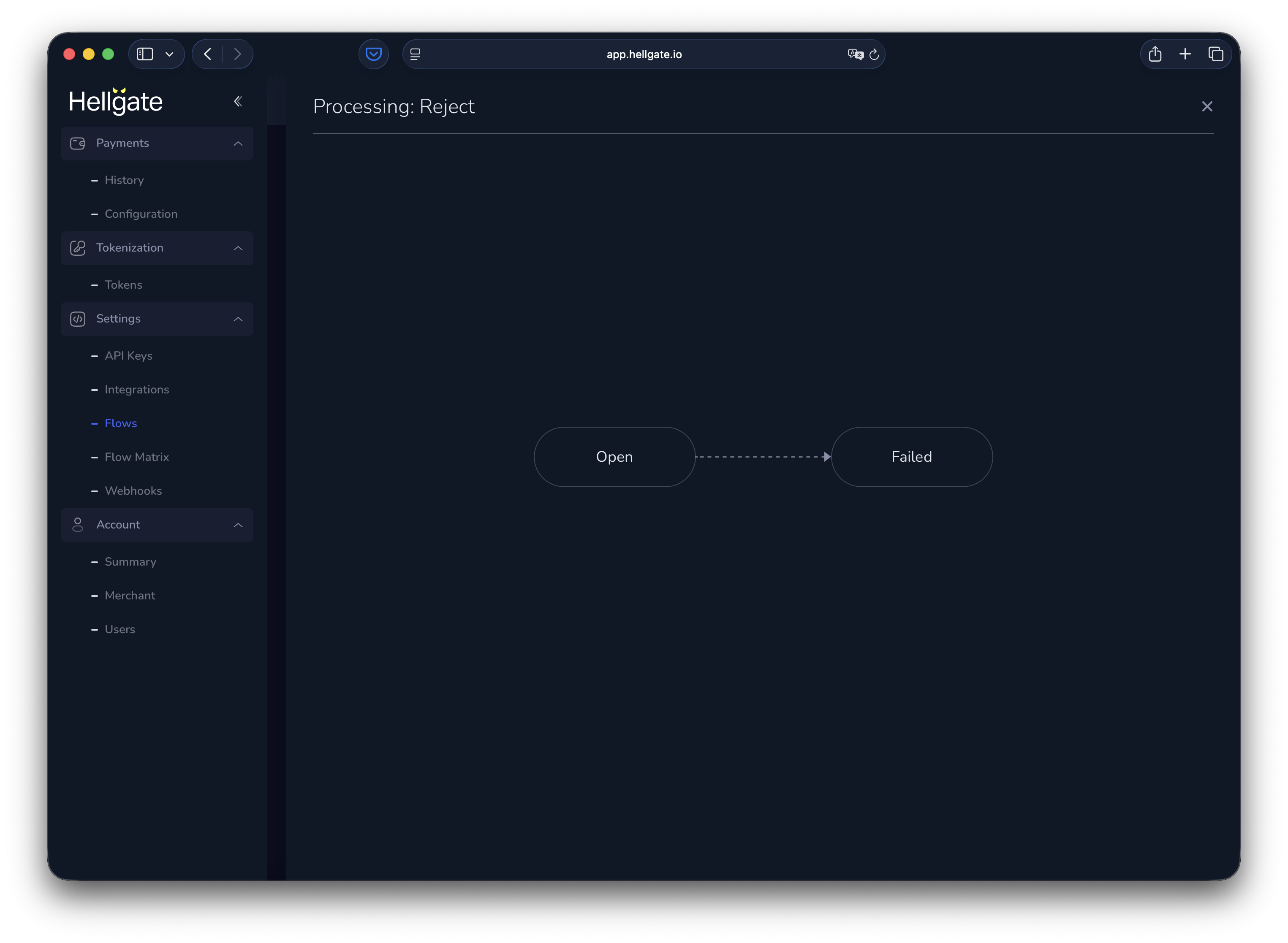
#### Reject

No transaction is sent to a processor; the payment request is failed (useful for reject rules).
<Frame>
  <img src="https://mintcdn.com/starfishgmbhcokg/dfhj2Hm84A9ik5S0/images/commerce/v2/guides/configuration/reject-flow.png?fit=max&auto=format&n=dfhj2Hm84A9ik5S0&q=85&s=e1e6e1f41d746217d77af5683fd442d3" alt="Reject flow diagram" width="3050" height="2234" data-path="images/commerce/v2/guides/configuration/reject-flow.png" />
</Frame>

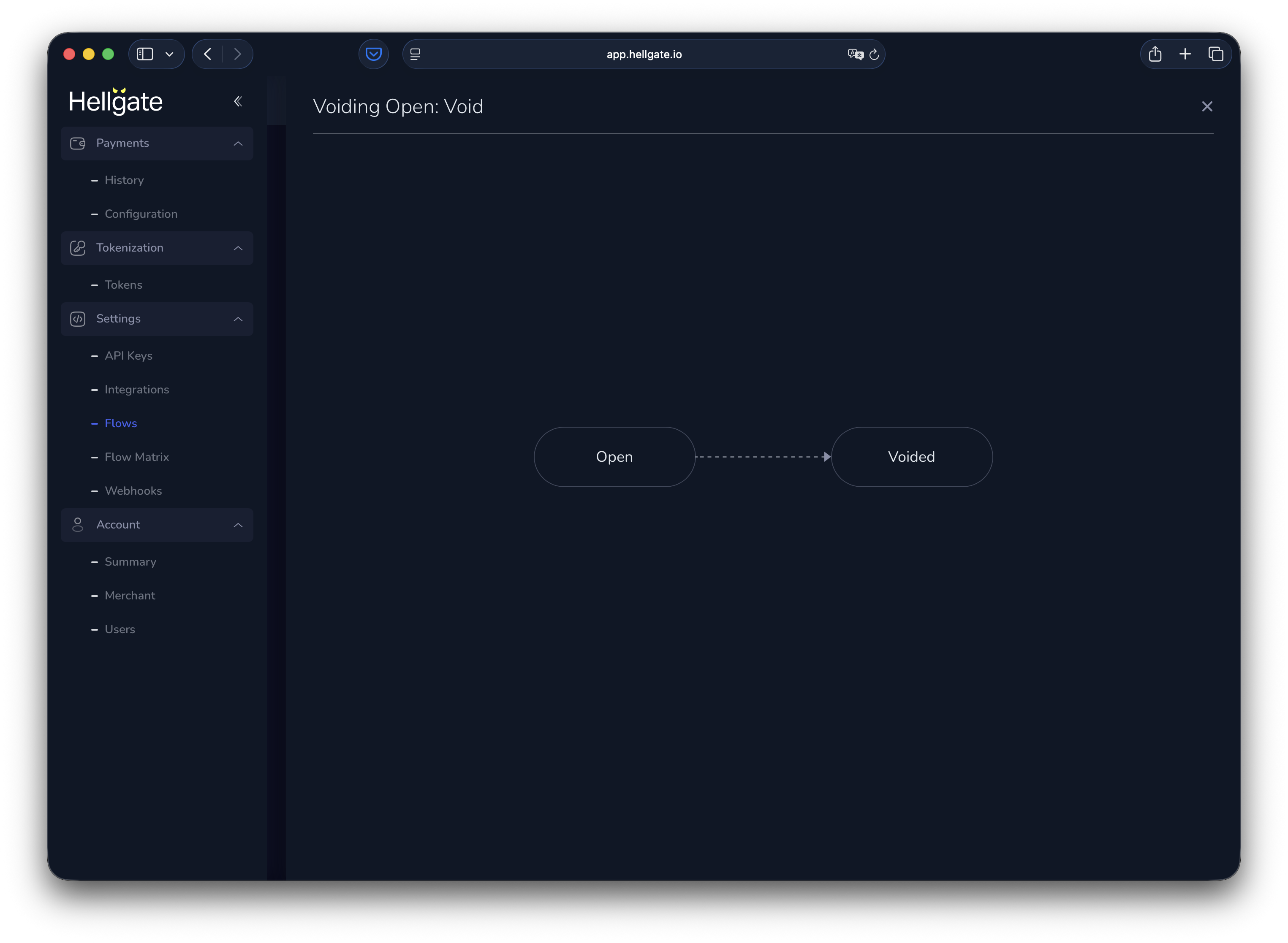
#### Void (open)

Void a payment that was never authorized.
<Frame>
  <img src="https://mintcdn.com/starfishgmbhcokg/dfhj2Hm84A9ik5S0/images/commerce/v2/guides/configuration/void-flow.png?fit=max&auto=format&n=dfhj2Hm84A9ik5S0&q=85&s=8400973dda2e8e10ed0df96956318f78" alt="Void open flow diagram" width="3050" height="2234" data-path="images/commerce/v2/guides/configuration/void-flow.png" />
</Frame>

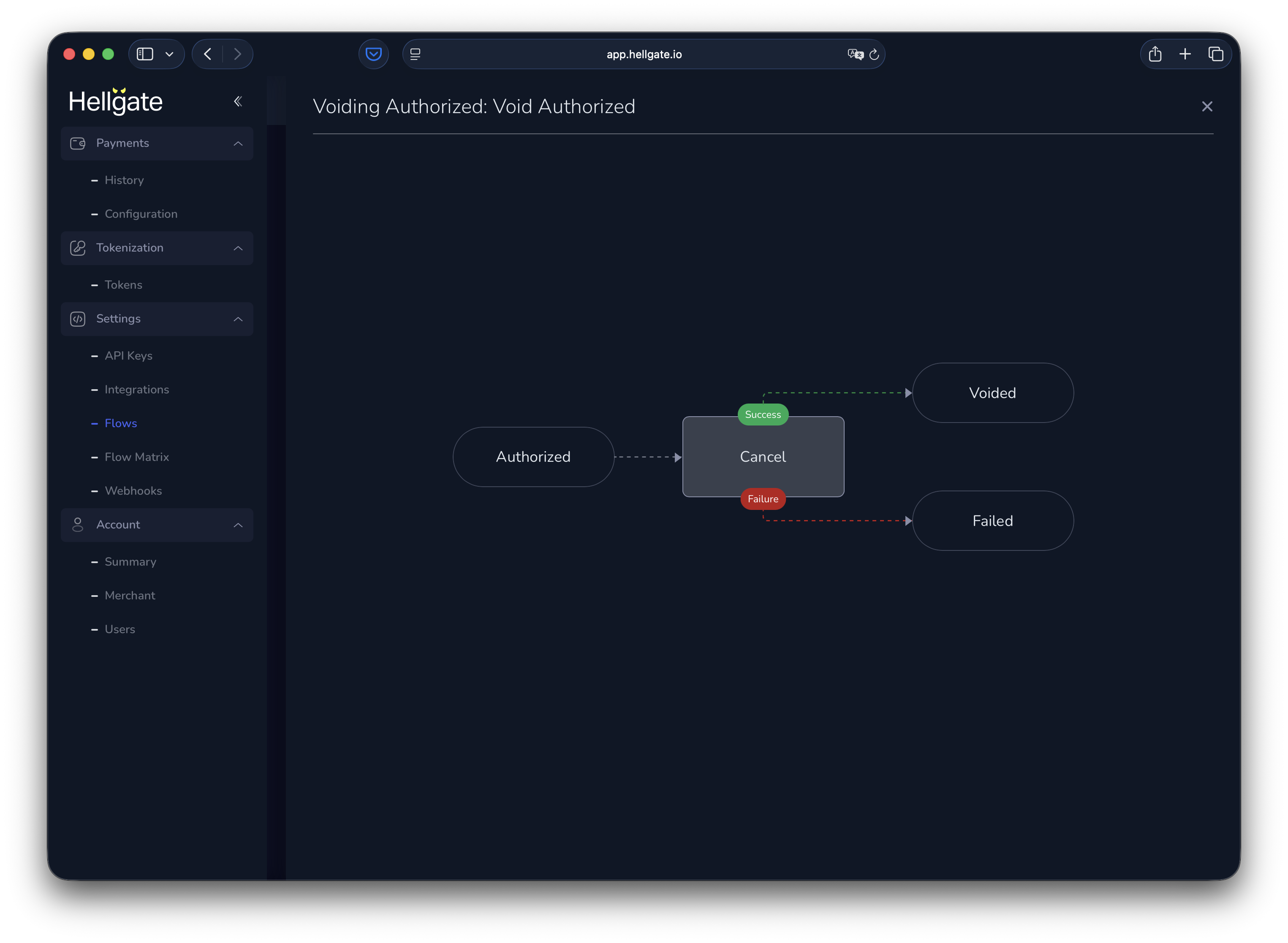
#### Void (authorized)

Cancel an authorized payment, then void it.
<Frame>
  <img src="https://mintcdn.com/starfishgmbhcokg/dfhj2Hm84A9ik5S0/images/commerce/v2/guides/configuration/void-cancel-flow.png?fit=max&auto=format&n=dfhj2Hm84A9ik5S0&q=85&s=e612084ec451f084be2457051e13ffee" alt="Void after cancel flow diagram" width="3050" height="2234" data-path="images/commerce/v2/guides/configuration/void-cancel-flow.png" />
</Frame>

### Custom flows

<a href="https://app.hellgate.io/settings/flows?tab=preprocessing" target="_blank" rel="noopener noreferrer">Custom flows (preprocessing) tab</a>

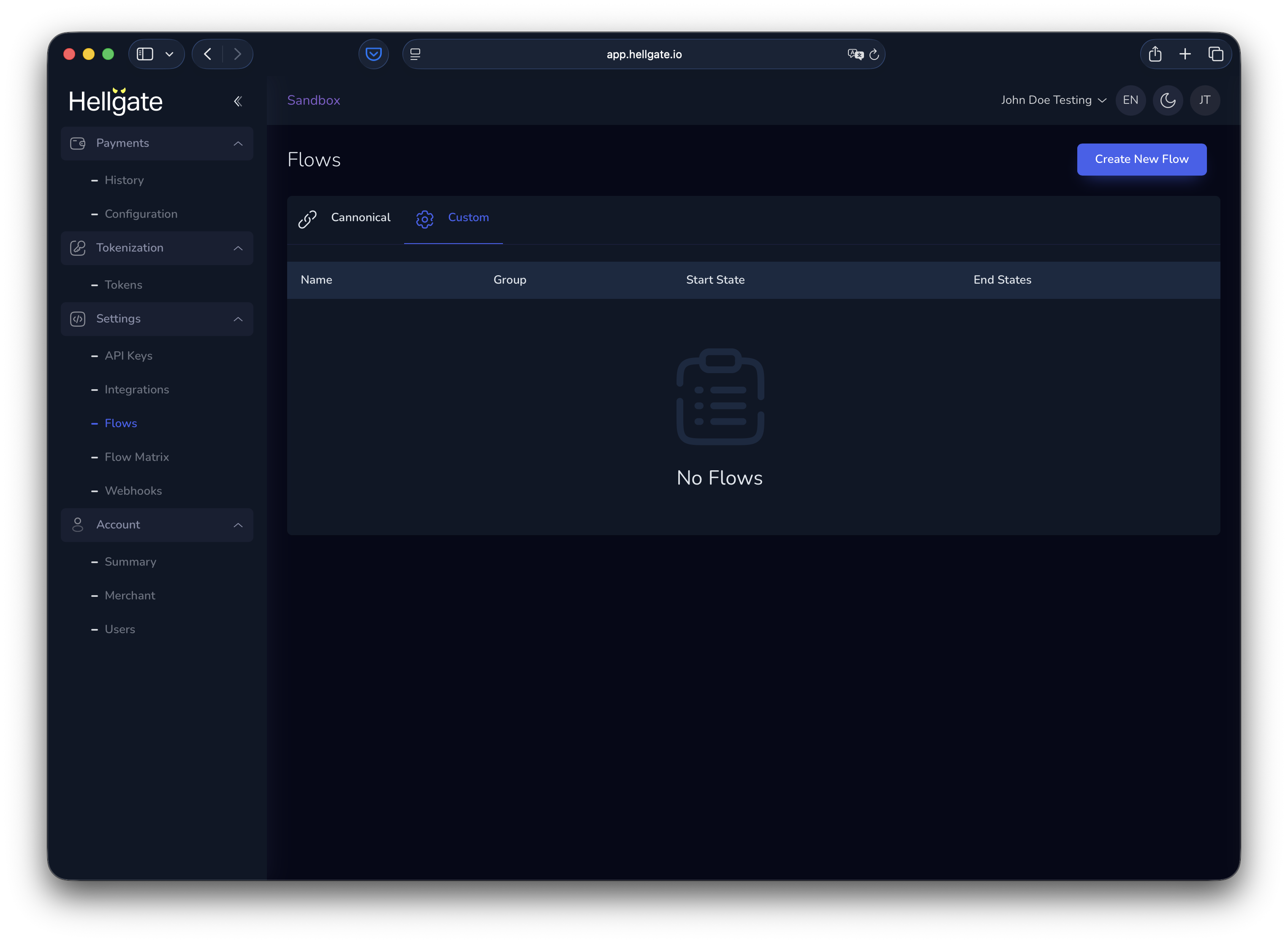
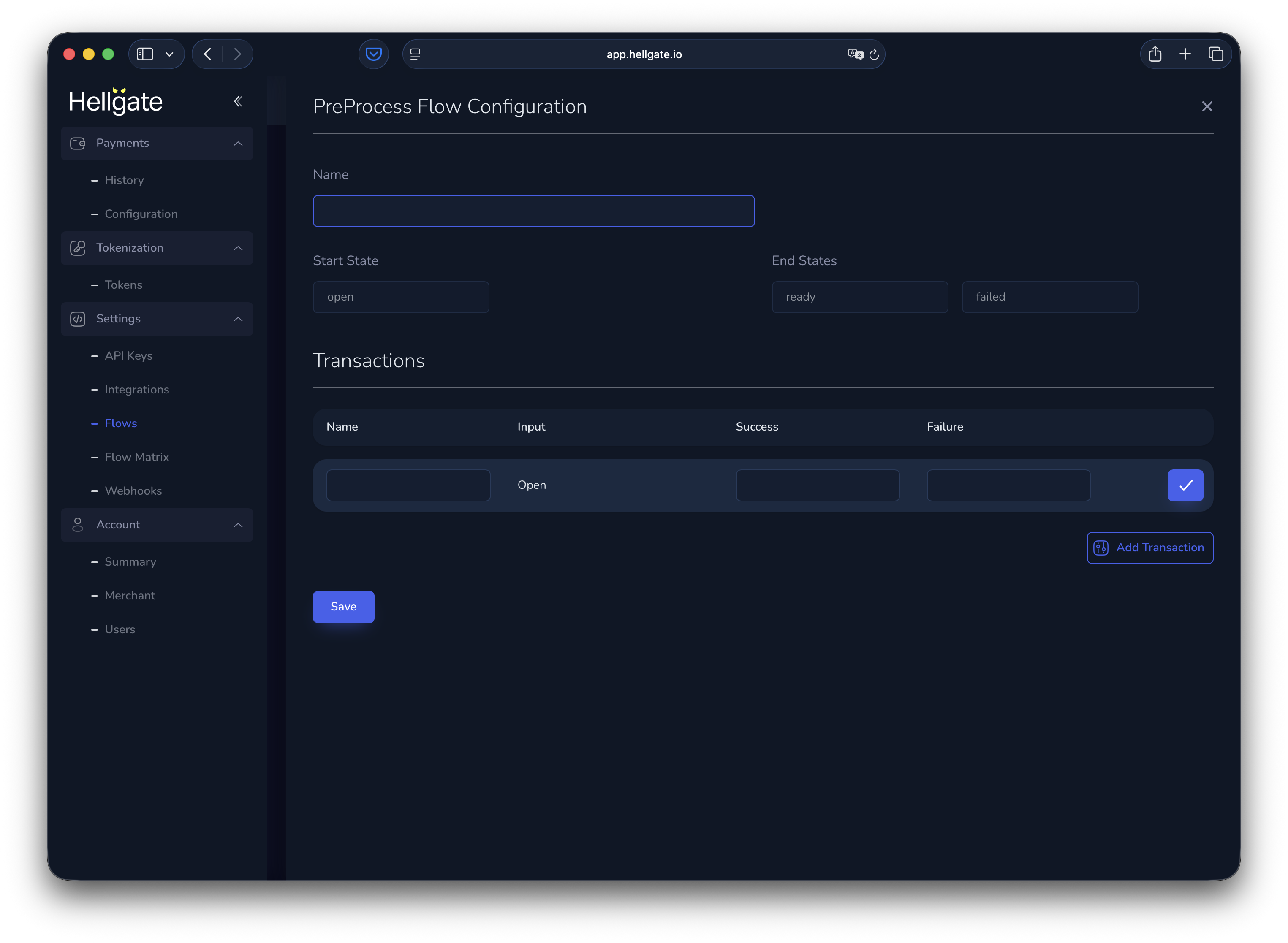
New accounts start with an empty list. You can add custom flows as sequences of steps, with branching based on success or failure.
<Frame>
  <img src="https://mintcdn.com/starfishgmbhcokg/dfhj2Hm84A9ik5S0/images/commerce/v2/guides/configuration/custom-flow-list.png?fit=max&auto=format&n=dfhj2Hm84A9ik5S0&q=85&s=66ff16be0341f56d45f4c265bcb7166f" alt="Empty custom flows list" width="3050" height="2234" data-path="images/commerce/v2/guides/configuration/custom-flow-list.png" />
</Frame>

<Frame>
  <img src="https://mintcdn.com/starfishgmbhcokg/dfhj2Hm84A9ik5S0/images/commerce/v2/guides/configuration/pre-process-flow-configuration.png?fit=max&auto=format&n=dfhj2Hm84A9ik5S0&q=85&s=2ebcff9dd984bdadbc745642340efc19" alt="Configure custom preprocessing flow" width="3050" height="2234" data-path="images/commerce/v2/guides/configuration/pre-process-flow-configuration.png" />
</Frame>

## Flow matrix

<a href="https://app.hellgate.io/settings/flow-matrix" target="_blank" rel="noopener noreferrer">Flow matrix</a>

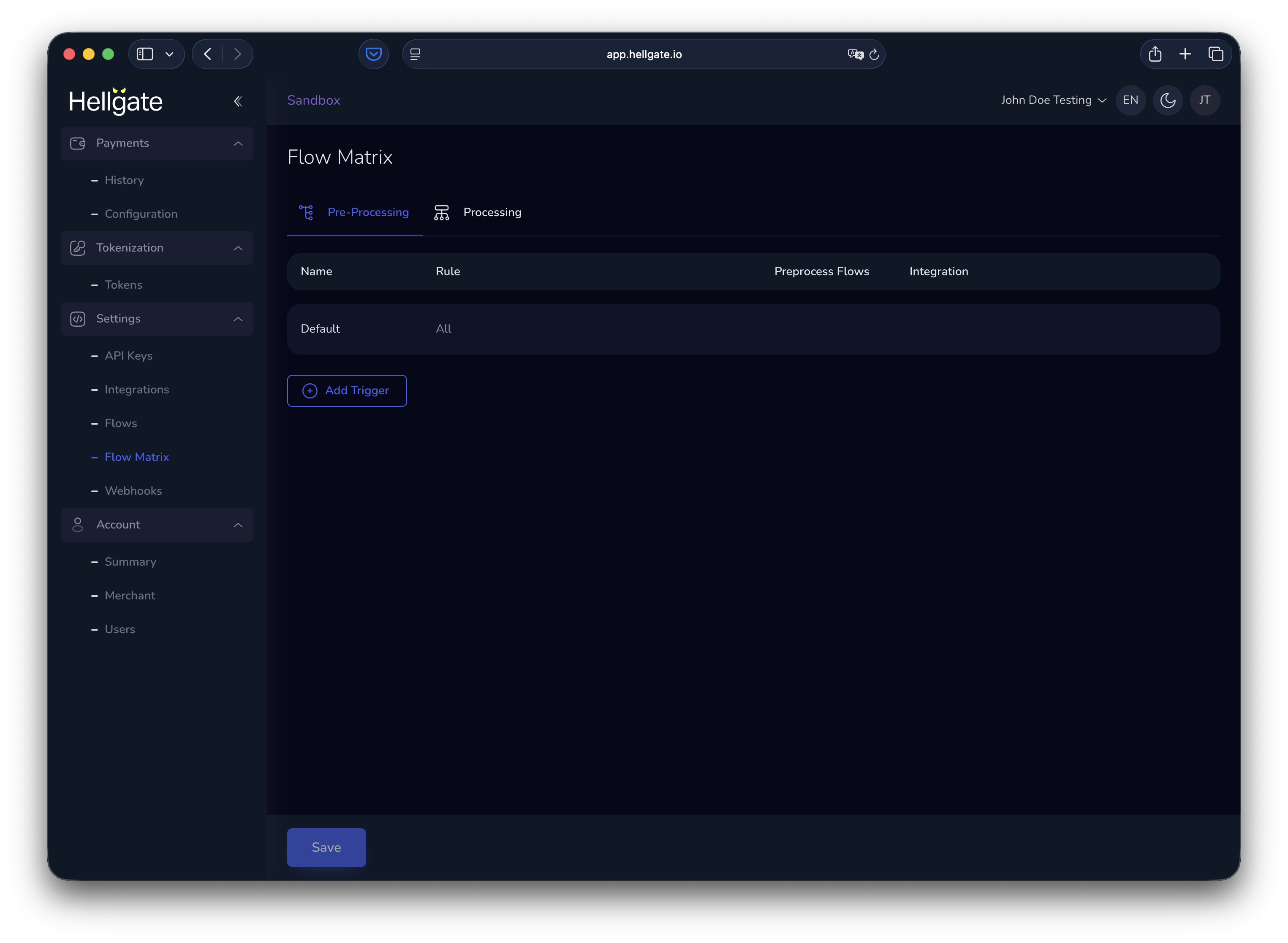
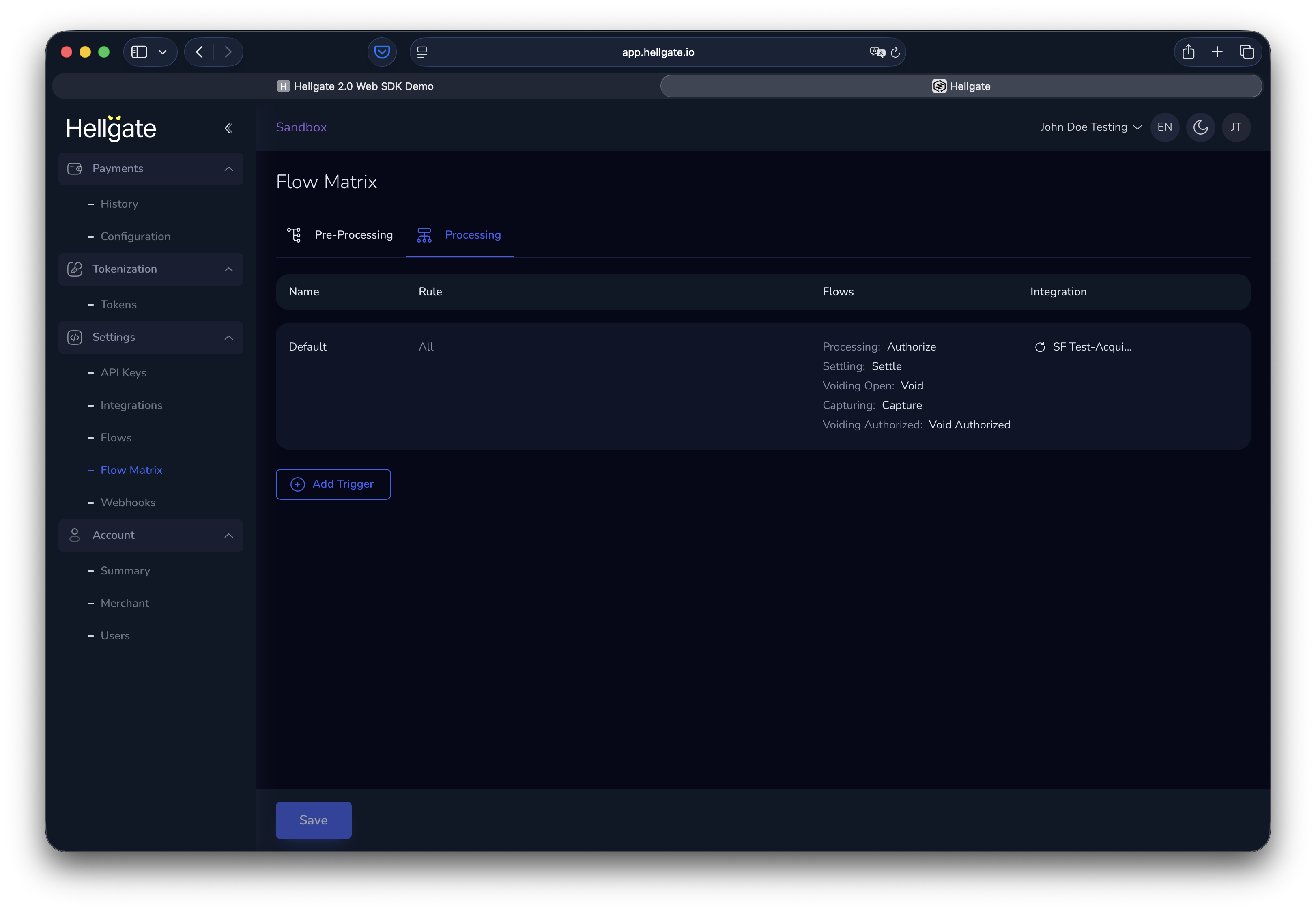
The flow matrix defines which flows run in **pre-processing** and **processing**, and which integration is used.

### Pre-processing flow matrix
<Frame>
  <img src="https://mintcdn.com/starfishgmbhcokg/dfhj2Hm84A9ik5S0/images/commerce/v2/guides/configuration/preprocessing-flow-matrix.png?fit=max&auto=format&n=dfhj2Hm84A9ik5S0&q=85&s=0166c769e5ac0dd4936d0389b5d505c8" alt="Pre-processing flow matrix" width="3050" height="2234" data-path="images/commerce/v2/guides/configuration/preprocessing-flow-matrix.png" />
</Frame>

### Processing flow matrix

The processing matrix always has a default rule that runs authorization with the SF Test Acquirer. You can add rules to route specific payments to other flows or integrations.
<Frame>
  <img src="https://mintcdn.com/starfishgmbhcokg/dfhj2Hm84A9ik5S0/images/commerce/v2/guides/configuration/processing-flow-matrix.png?fit=max&auto=format&n=dfhj2Hm84A9ik5S0&q=85&s=0fc6a8c83abf37bfce54ac591b2cbb6c" alt="Processing flow matrix with default rule" width="3244" height="2248" data-path="images/commerce/v2/guides/configuration/processing-flow-matrix.png" />
</Frame>

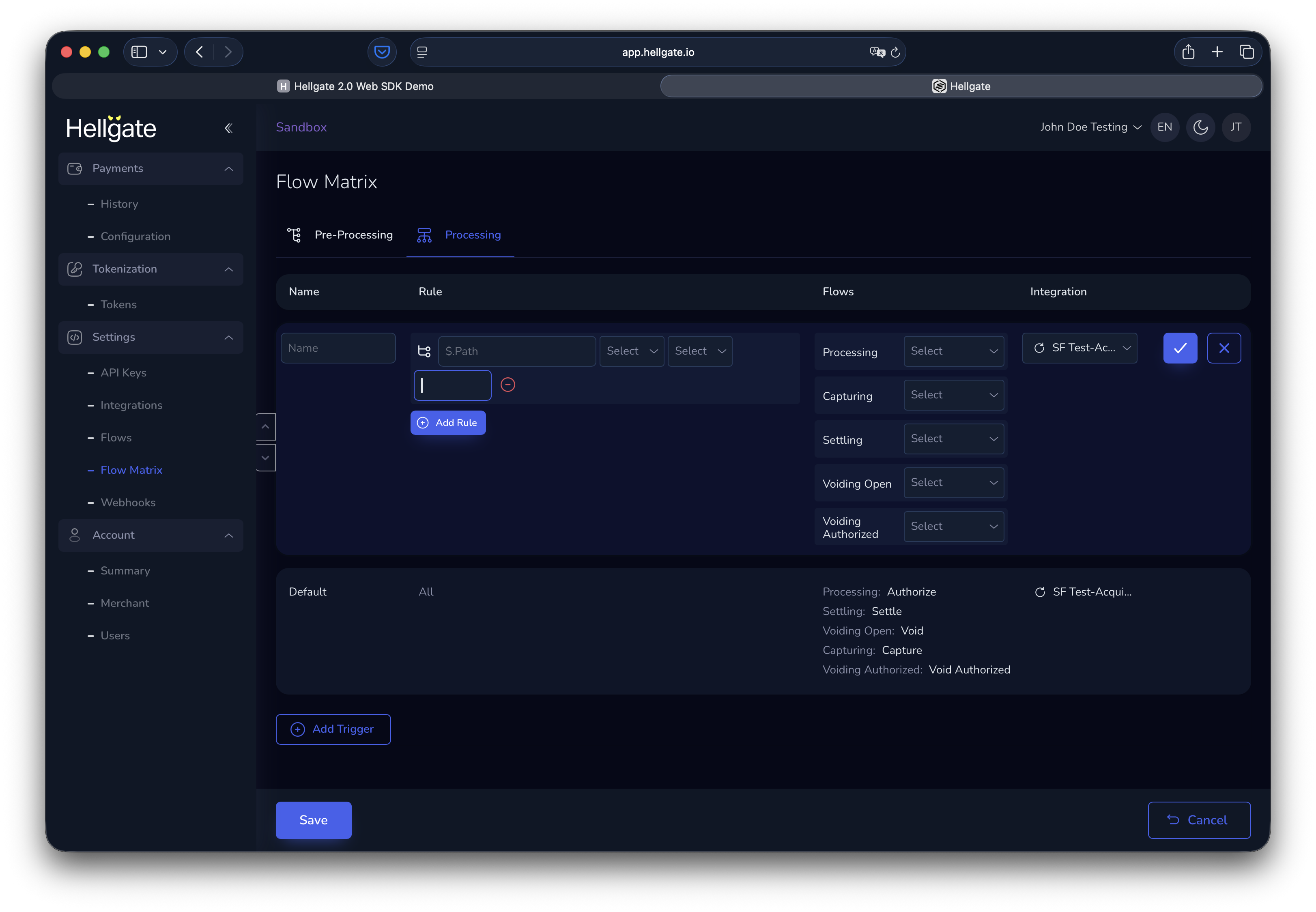
### Adding and editing rules

Each rule matches payment data to conditions and assigns flows for the processing steps, plus the integration to use.
<Frame>
  <img src="https://mintcdn.com/starfishgmbhcokg/dfhj2Hm84A9ik5S0/images/commerce/v2/guides/configuration/flow-matrix-rule.png?fit=max&auto=format&n=dfhj2Hm84A9ik5S0&q=85&s=0c1bc15fc968ebd3ec49c6d38c53950a" alt="Flow matrix rule configuration" width="3244" height="2248" data-path="images/commerce/v2/guides/configuration/flow-matrix-rule.png" />
</Frame>