> ## Documentation Index
> Fetch the complete documentation index at: https://developer.hellgate.io/llms.txt
> Use this file to discover all available pages before exploring further.
# Configuration
> Configure 3-D Secure authentication for your Commerce merchant account.
## Merchant configuration
Please navigate to the Merchant Configuration page:
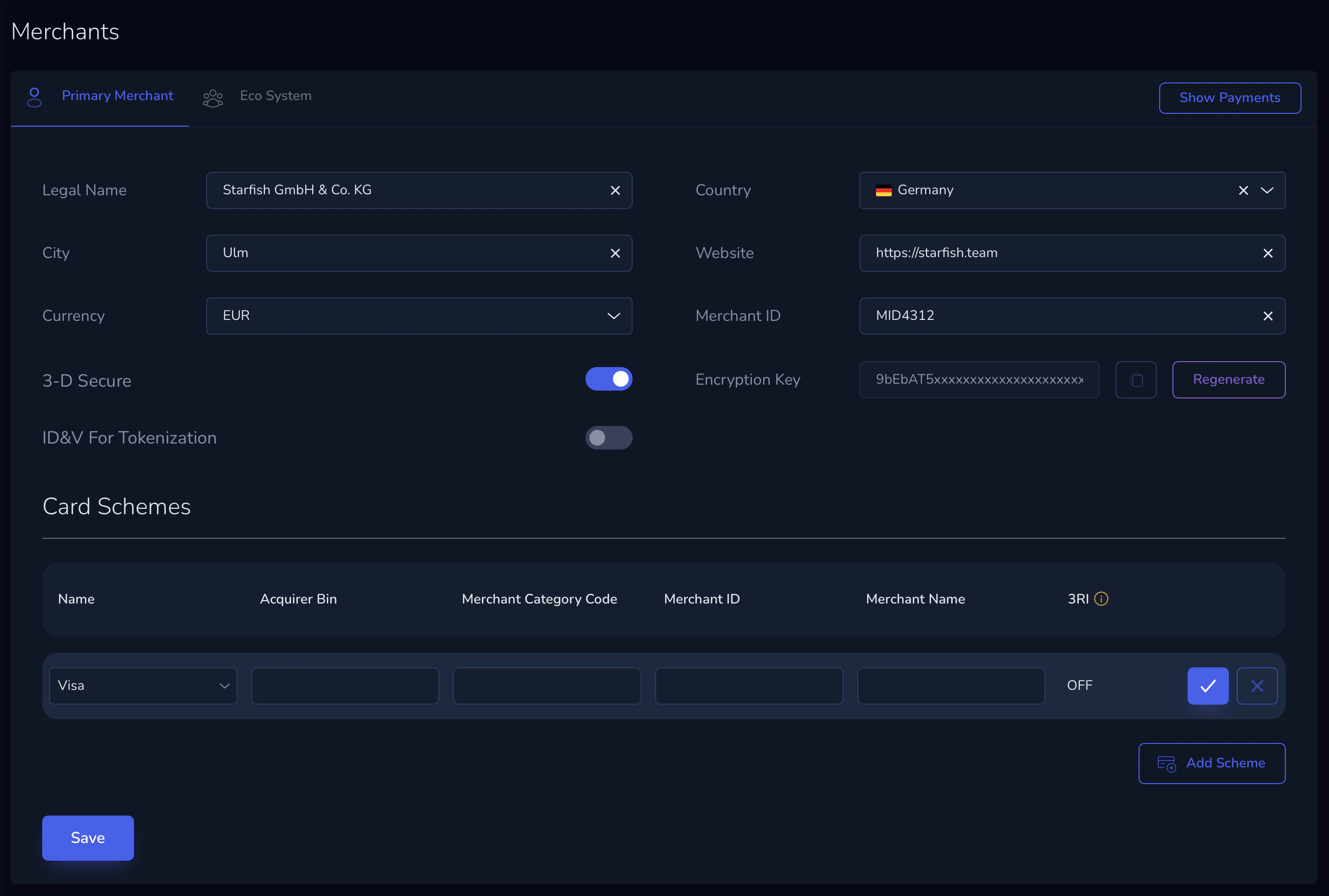 Make sure you have set the following data:
* Your Legal Name
* Your Merchant ID which you received from your acquirer
* Enable 3-D Secure
* Set the Acquirer BIN, Merchant Category Code, and Merchant ID / Name (in case you want to overwrite the defaults)
If you have questions about the configuration or don't know where to obtain the required data, please contact your account representative.
Make sure you have set the following data:
* Your Legal Name
* Your Merchant ID which you received from your acquirer
* Enable 3-D Secure
* Set the Acquirer BIN, Merchant Category Code, and Merchant ID / Name (in case you want to overwrite the defaults)
If you have questions about the configuration or don't know where to obtain the required data, please contact your account representative.